Say what to track. The dashboard builds itself.
Describe the dashboard in one sentence and approve the draft; every figure is counted from your own records. Forecasts sit on the same dashboard and show how far they can be trusted.
The window plays by itself.
From one sentence to a finished dashboard.
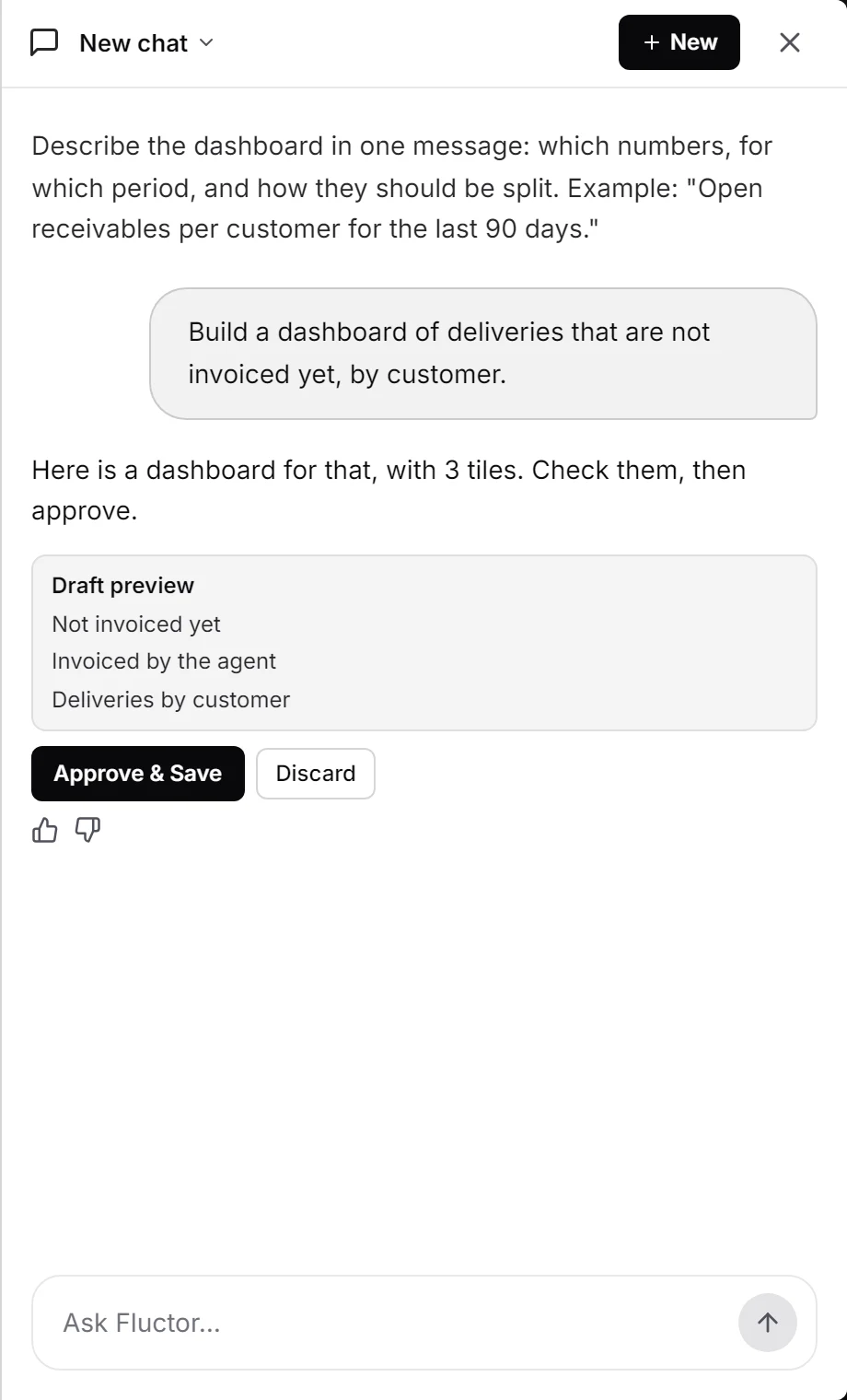
Describe
Say what to track, such as “deliveries not invoiced yet, by customer”. The chat drafts the dashboard and lists its tiles.
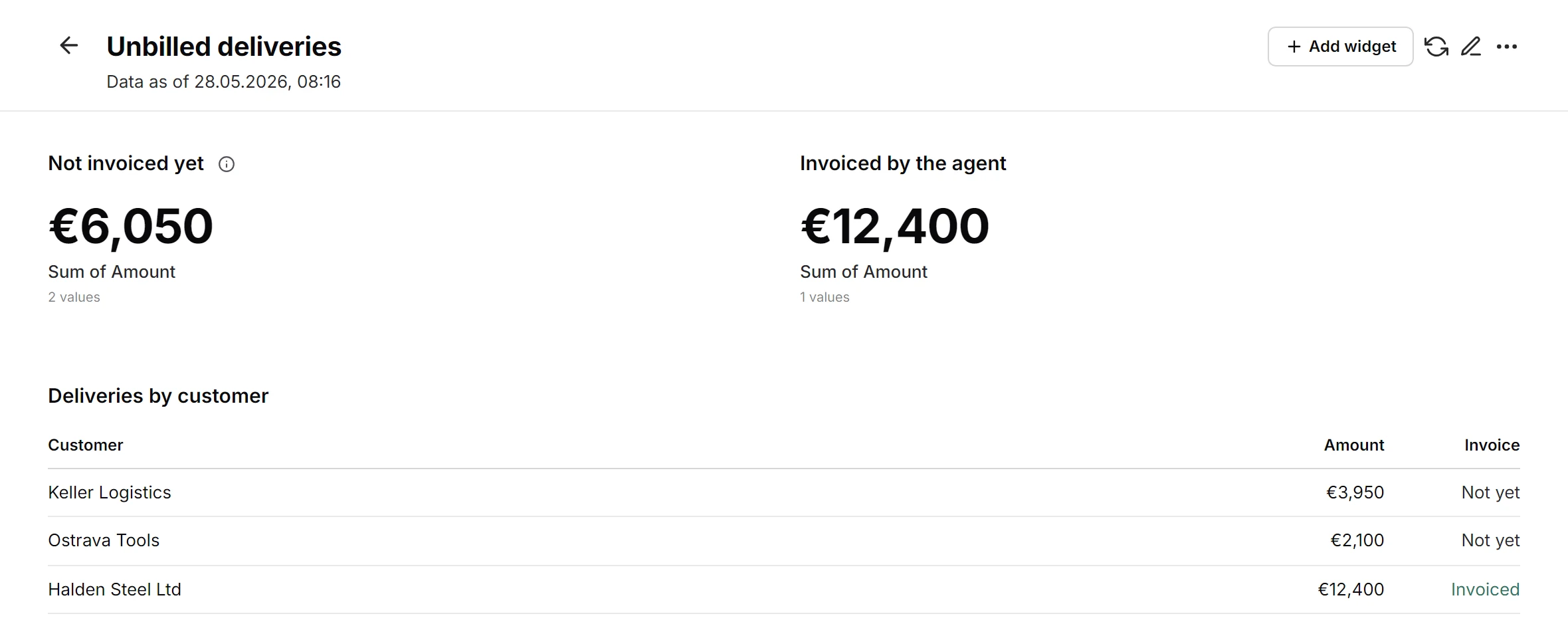
Approve
Nothing is saved before your yes. To change the dashboard later, ask again: the tiles you did not mention stay as they are.
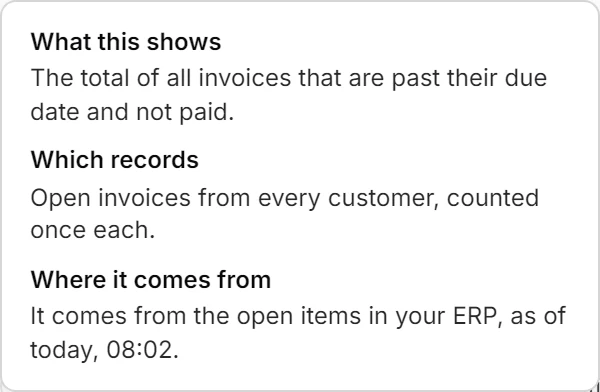
Explain
Click the i on a tile. It says what the number shows, which records it counts, where they come from and how current they are.
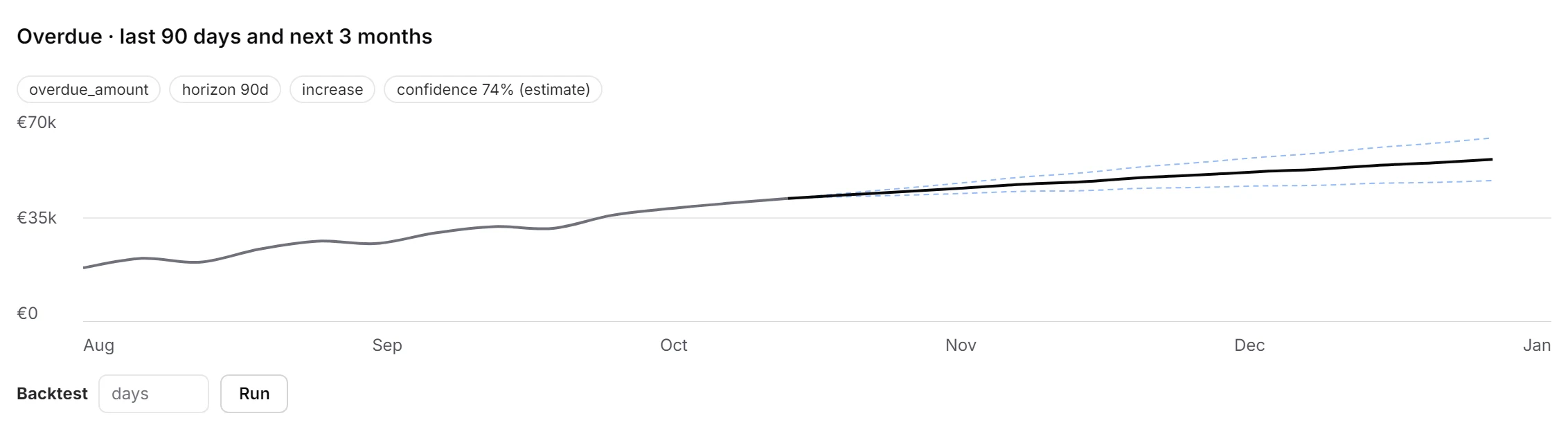
Look ahead
Add a forecast and run it whenever you need it. The line continues your history, with a dashed band for the range.
A dashboard whose numbers hold.
One sentence is enough
Name the figures, the period and the split in your own words. The chat only drafts; every number is then calculated from your records.
Every tile is run first
The draft is checked against your live data and each tile is rendered once. A draft with a failing tile is not offered, and a tile that is empty today is flagged before you approve.
Forecasts you can test
A dashed band shows how far off the forecast could be, and a backtest replays it against your own past. Confidence reads “estimate” until a backtest has run, then “calibrated”.
Ask what if
Pick a customer or supplier and a change such as −20%: the tile shows baseline against scenario per month, and the effect on your total. The chat and agents answer the same question.
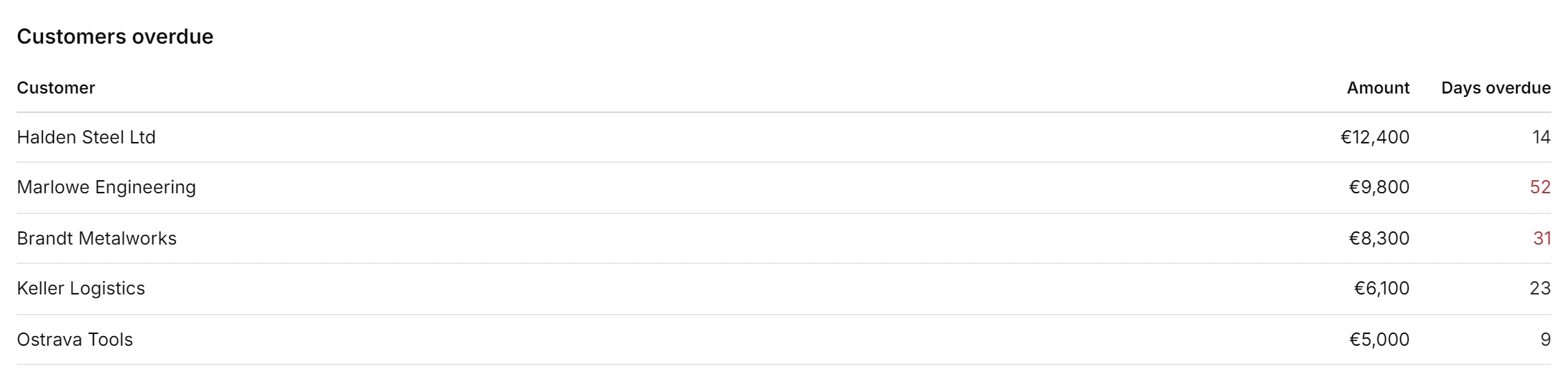
Open items, by customer and supplier.
The table lists open invoices with what is left to pay after payments and credits. “Overdue” is worked out anew each day, and money you are owed never mixes with money you owe, or one currency with another. Marlowe Engineering owes €9,800, 52 days late.
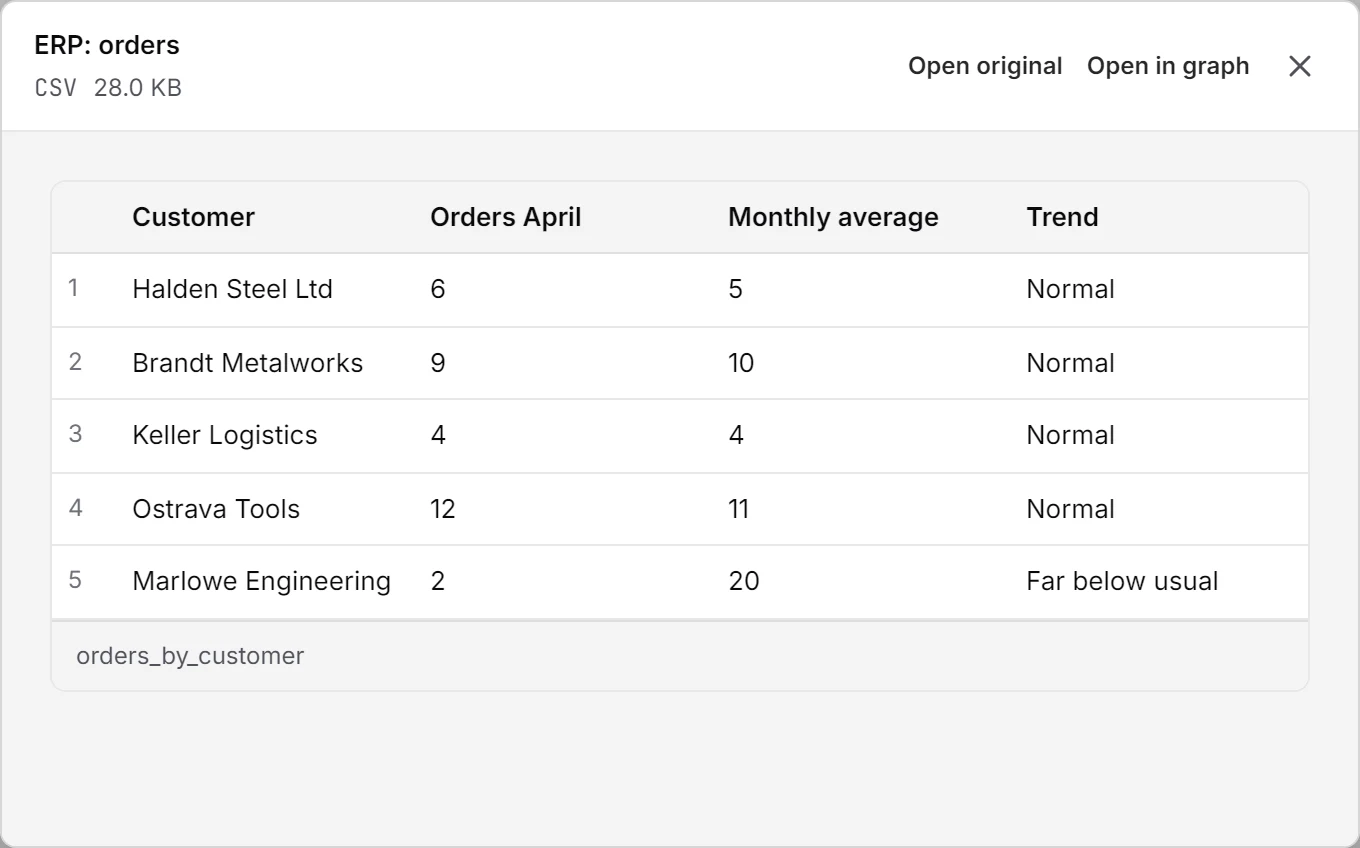
From a number to a signal.
A dashboard shows where things stand; a signal says when a figure turns. Each day the latest closed month of every customer is compared with its own usual level: Marlowe Engineering ordered 2 against a usual 20, so a Volume Drop was raised. A tile can list such signals by kind, and one click on Automate this hands one to an agent.
Your data stays yours.
Hosted in the EU or on your own servers. A dashboard opens only for people who may see every area its tiles read from, and every save is logged.
- EU hosting
- Your own servers
- GDPR & DPA
- No training on your data
- Every answer with its source
- Activity log
See fluctor on your own documents.
A demo of a dashboard built from one sentence on your own data, not on slides.