Know what needs doing before anyone asks.
fluctor reads your documents and systems and flags what is late, missing or about to fall due. Every signal shows the line it was read from.
The window plays by itself.
Four ways a signal comes up.
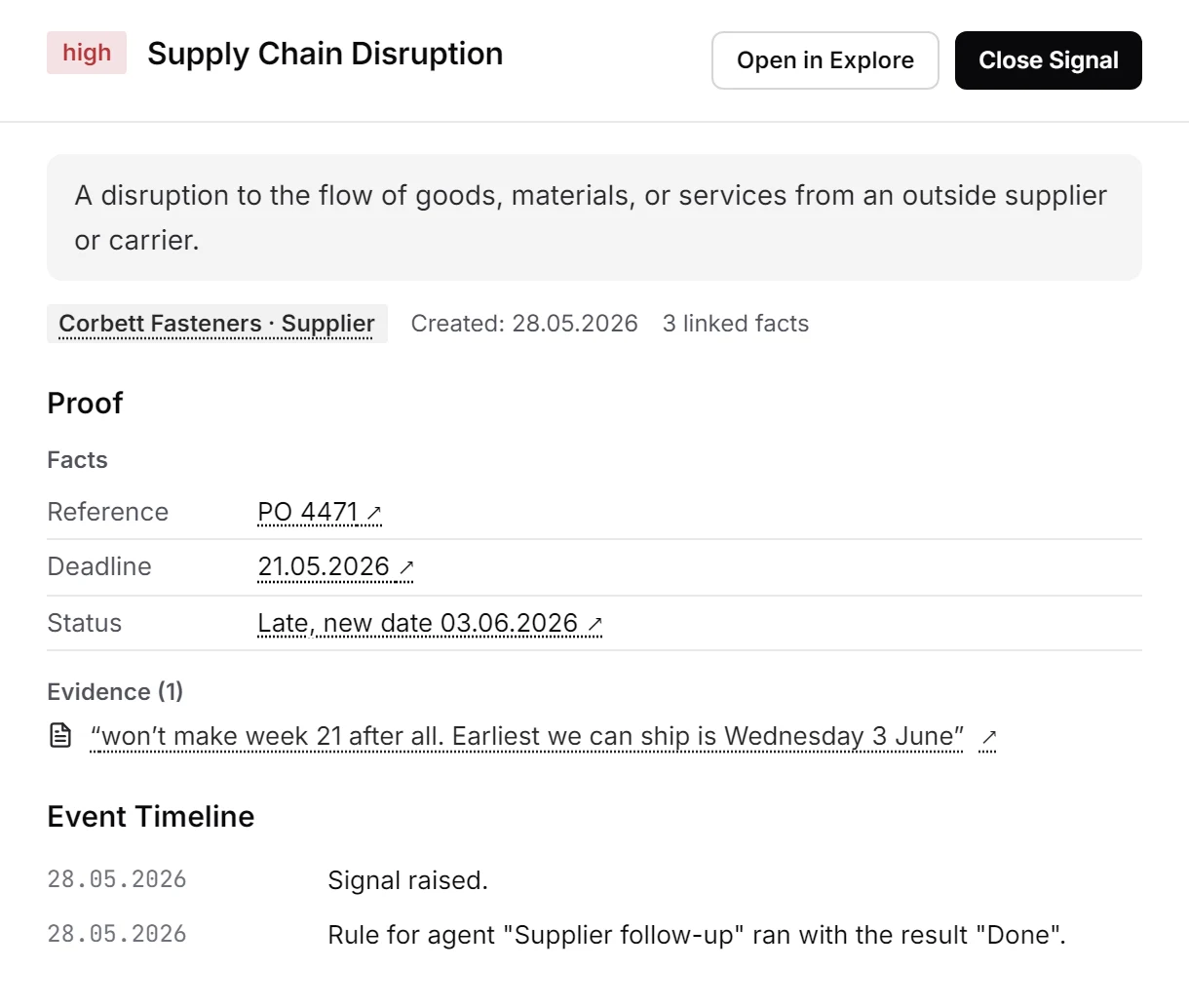
Document
Corbett Fasteners writes that PO 4471 will not ship before 3 June. fluctor reads the email and flags the late order.
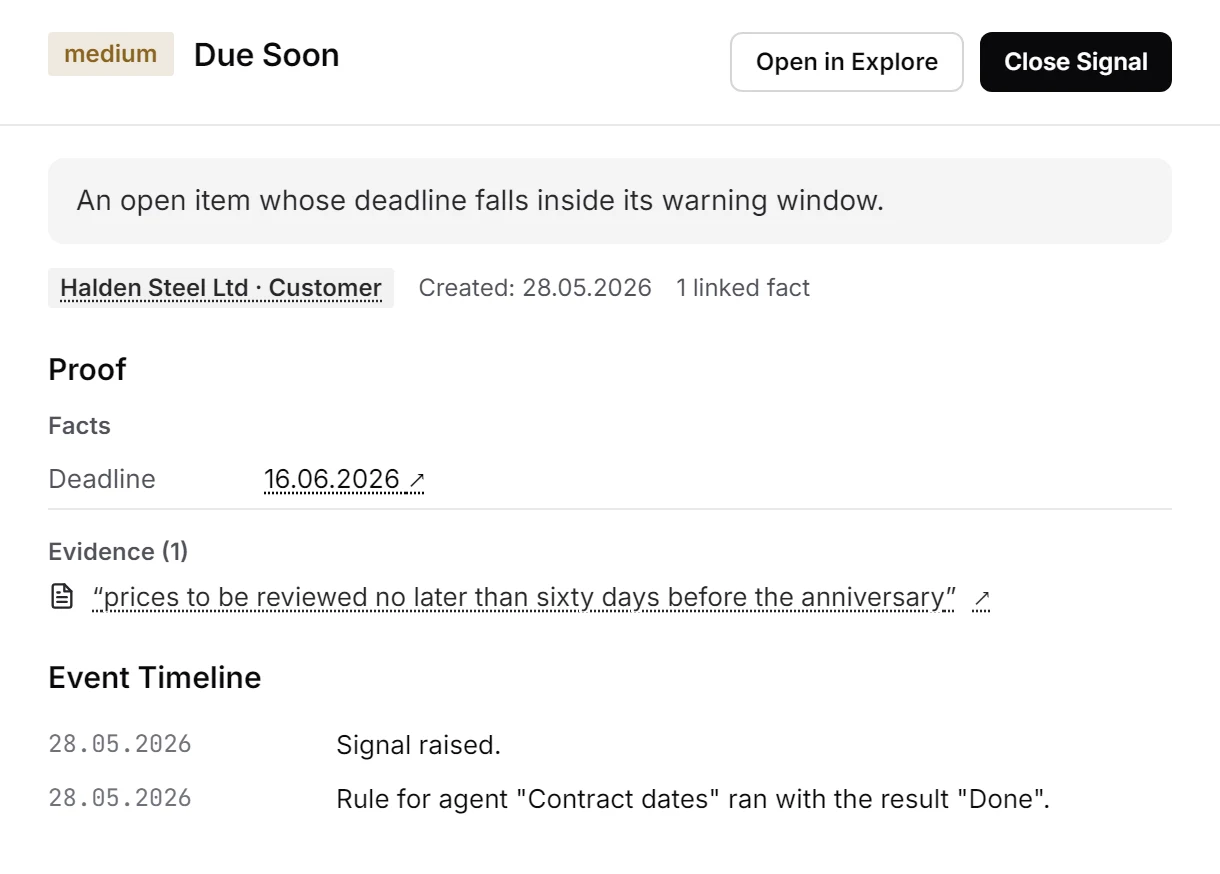
Deadline
A price review in clause 12 is due on 16 June. The date is checked every day, by plain arithmetic.
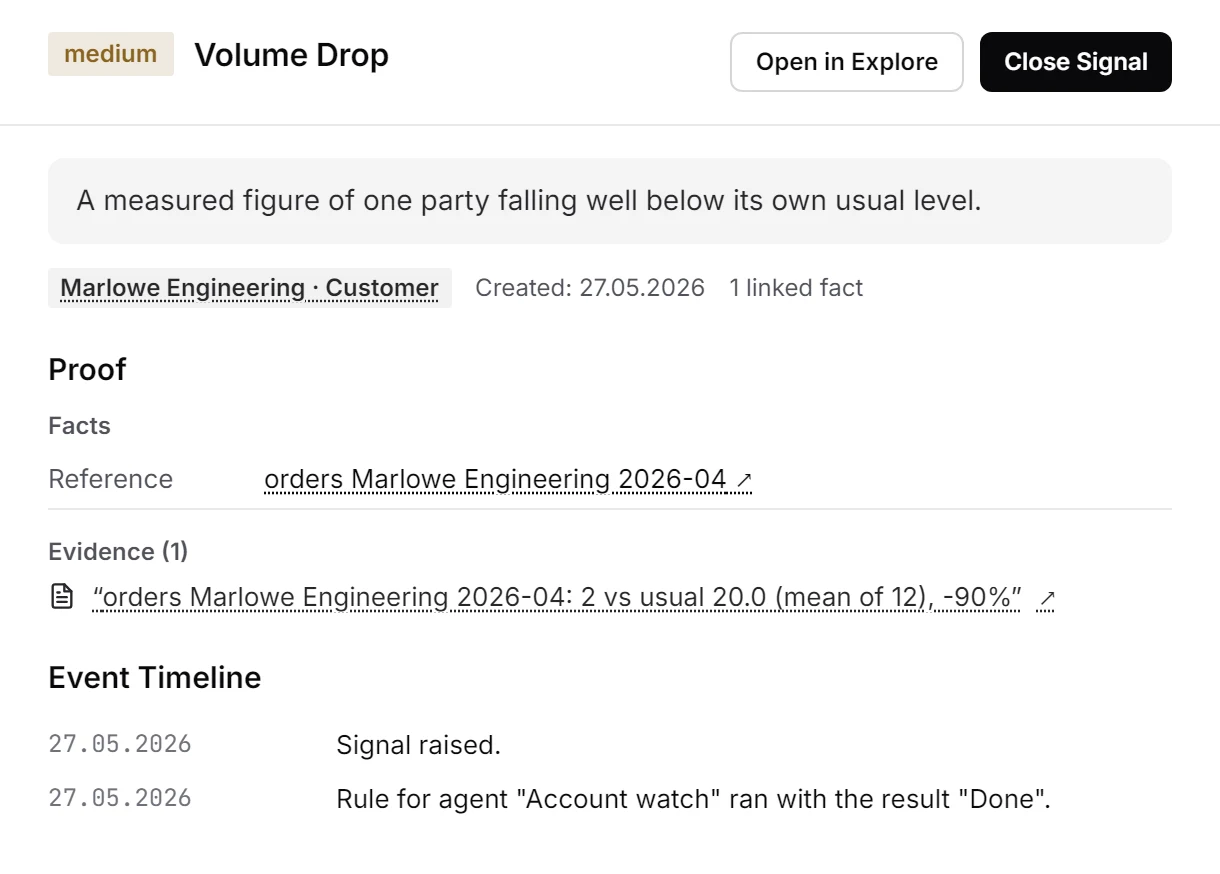
Measurement
Marlowe Engineering placed 2 orders in April against a usual 20. Each figure is judged against its own history.
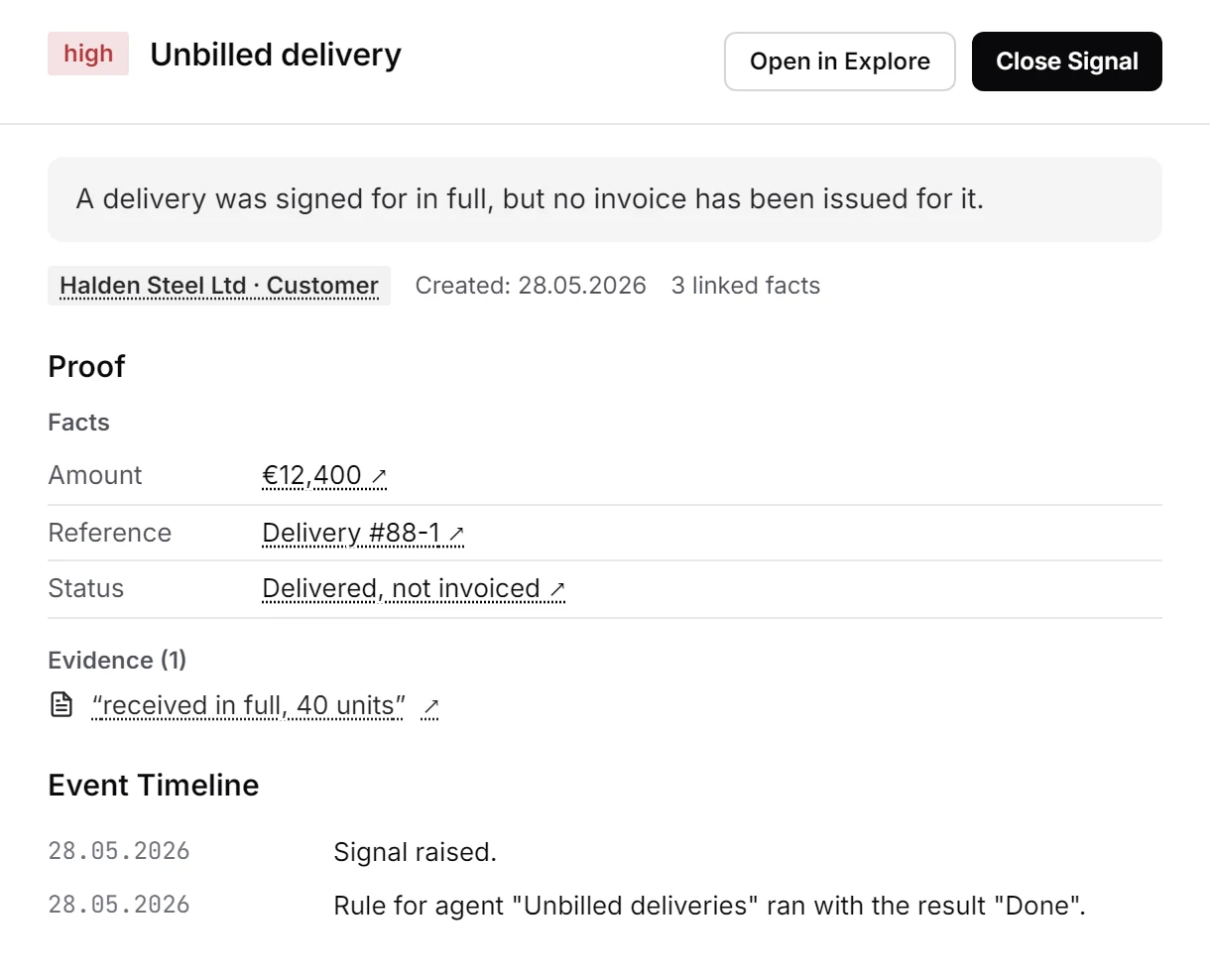
Process gap
Delivery #88-1 was signed for on 14 May and never invoiced, €12,400. fluctor learns what normally follows and flags the missing step.
What makes a signal worth reading.
One problem, one signal
A signal belongs to one customer, order or machine and one kind. Four payment reminders for one invoice become one signal with four pieces of proof, not four cards.
Proof behind every fact
Amount, reference and deadline each link to the document and the passage they were read from. Open in Explore shows what surrounds the signal: the order, the signed note and what is missing.
Tuned to your company
Warning windows, grace periods, severity levels and sensitivity are settings you change, not code. A measured warning compares a customer only with its own history, never with others.
Nothing starts on its own
A signal only raises its hand. An agent starts through a rule you set on the signal, and its first send still waits for your approval.
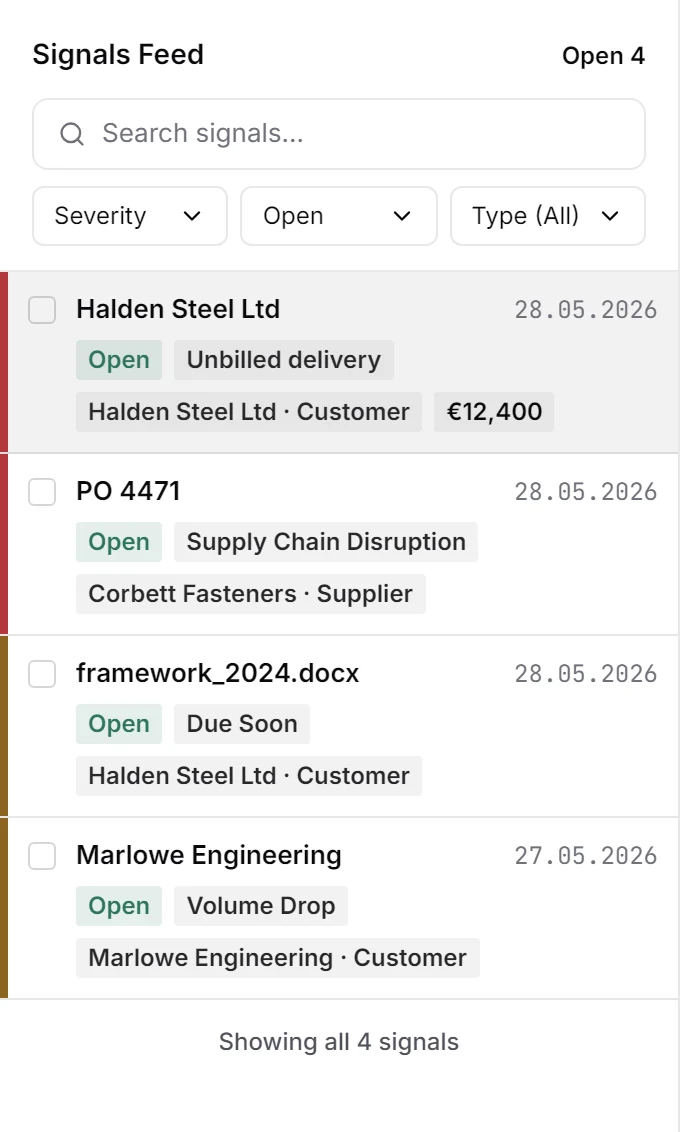
Open until the issue is settled.
The feed shows what is open, with severity, kind, customer and amount. A signal collects proof as new documents arrive and closes when a later document, a done status or a payment that clears the amount shows the issue is settled. Each close records its reason, its document and its time.
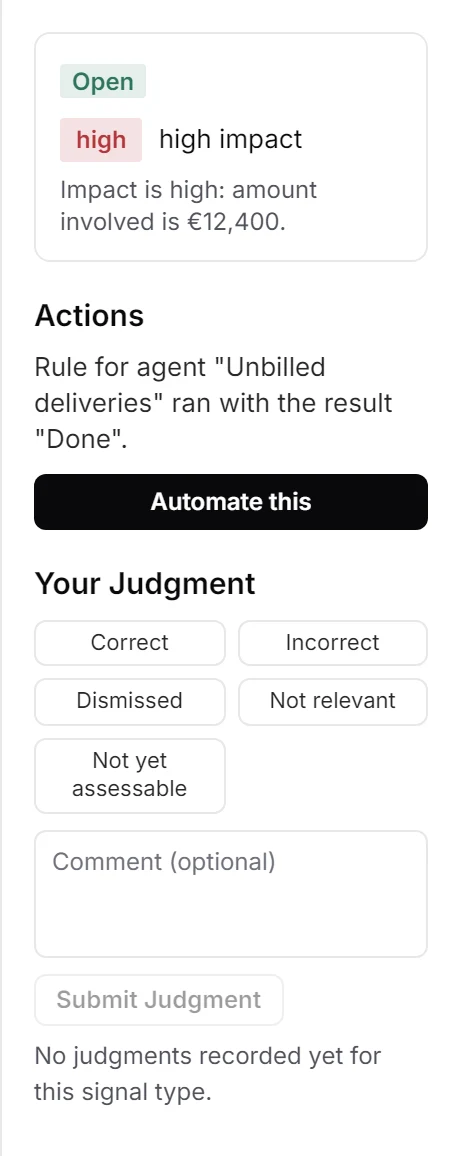
Your judgment stays on the signal.
Mark a signal Correct, Incorrect, Dismissed, Not relevant or Not yet assessable, with a comment if you like. Incorrect and Not relevant close the card, every judgment is counted per kind, and each one appears on the timeline. Nothing adjusts itself based on your answers, and a signal you closed stays closed.
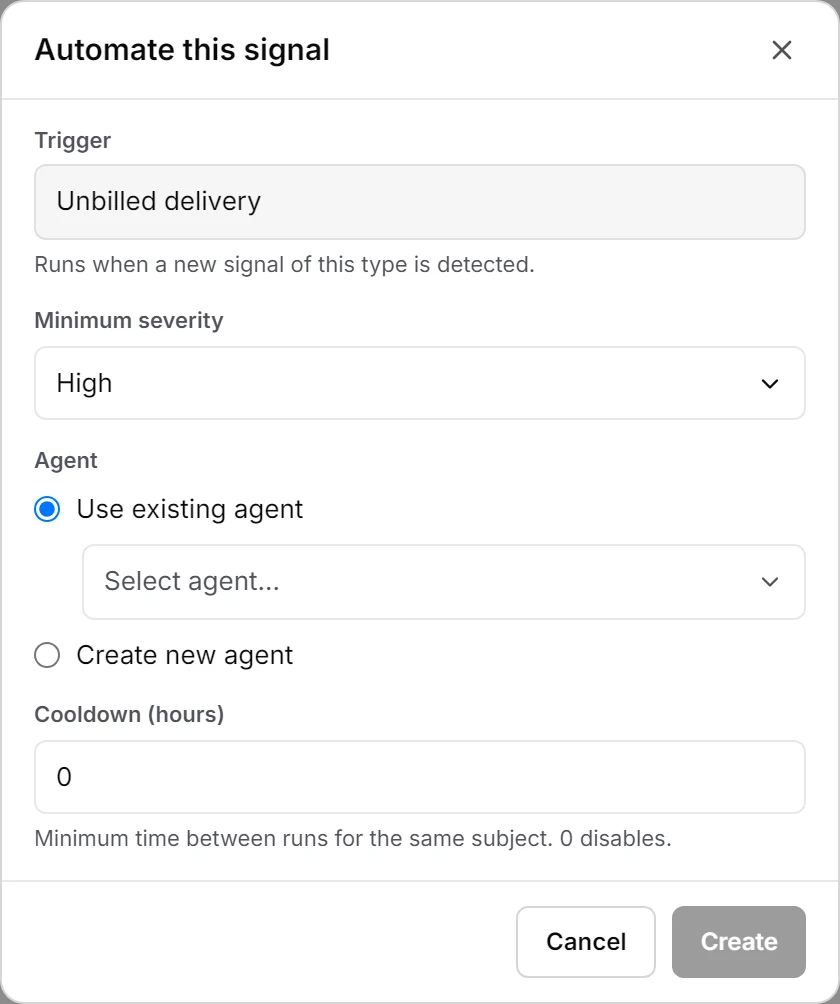
From a signal to an agent.
Click Automate this on any signal, pick an agent or describe a new one in the chat, and set a minimum severity and a cooldown. From then on every new signal of that kind at that severity or higher starts the agent, and the timeline names each run and its result. The cooldown keeps one customer from starting the same agent twice in a row.
Your data stays yours.
Hosted in the EU or on your own servers. Every signal shows the document it came from, and every close, judgment and agent run is on its timeline.
- EU hosting
- Your own servers
- GDPR & DPA
- No training on your data
- Every answer with its source
- Activity log
See fluctor on your own documents.
A demo on your real inbox and files. See what has slipped through, each signal with its source.