One file per customer. Every fact with its source.
Connect your sources once. fluctor files every email, document and ERP row under the customer it belongs to, and each fact keeps the line it was read from.
The window plays by itself.
From scattered sources to one file.
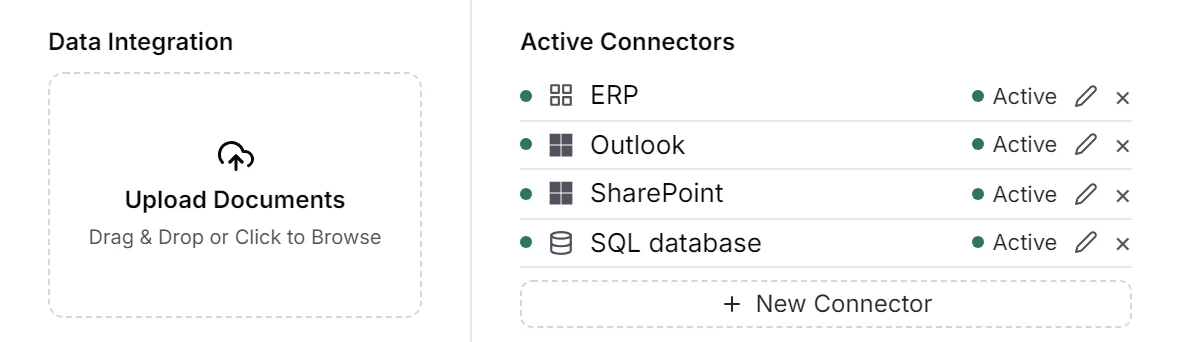
Connect
Link email, drives, databases and your ERP once, or upload files by hand. Everything that comes in is read automatically.
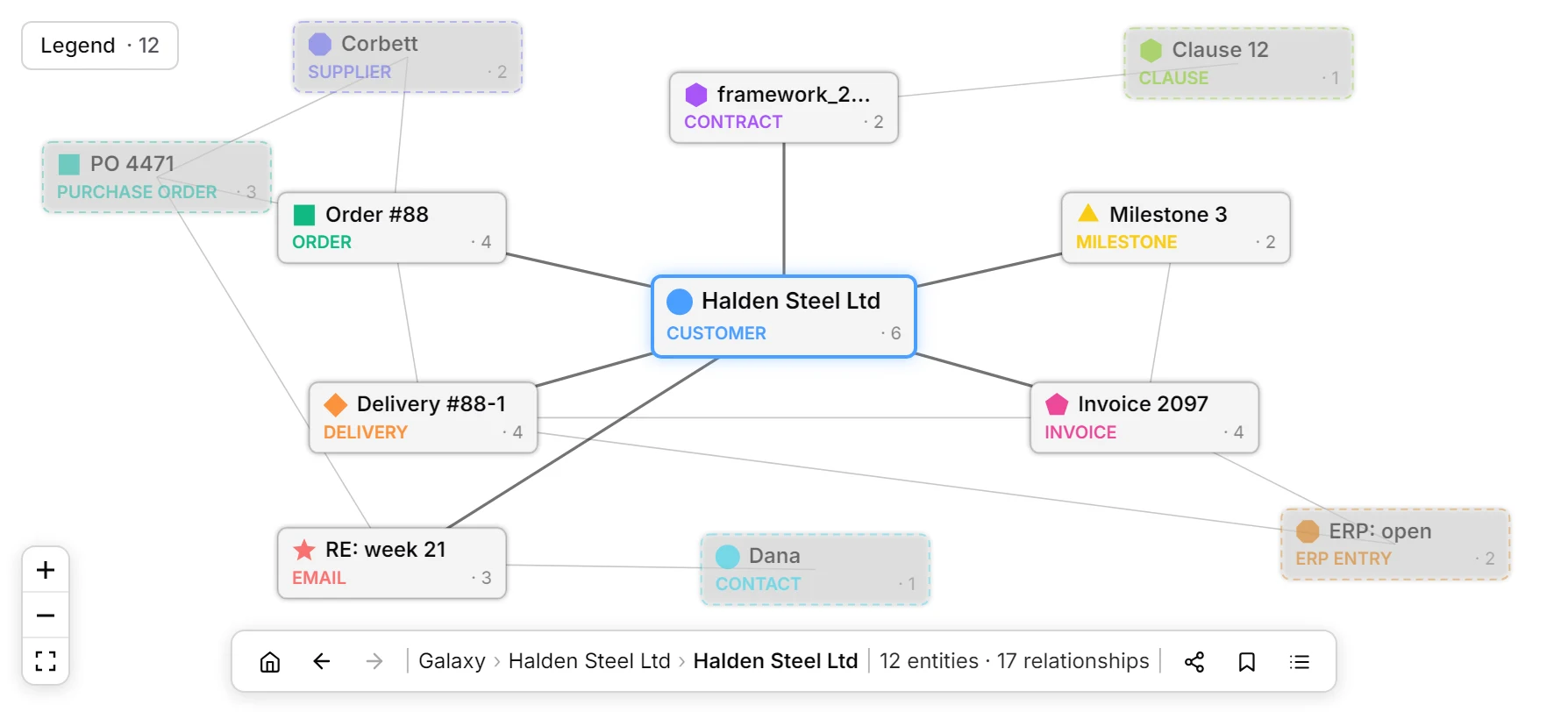
File
Each email, document and ERP row lands under the customer it belongs to. Halden Steel Ltd’s order, delivery, contract and email sit in one place.
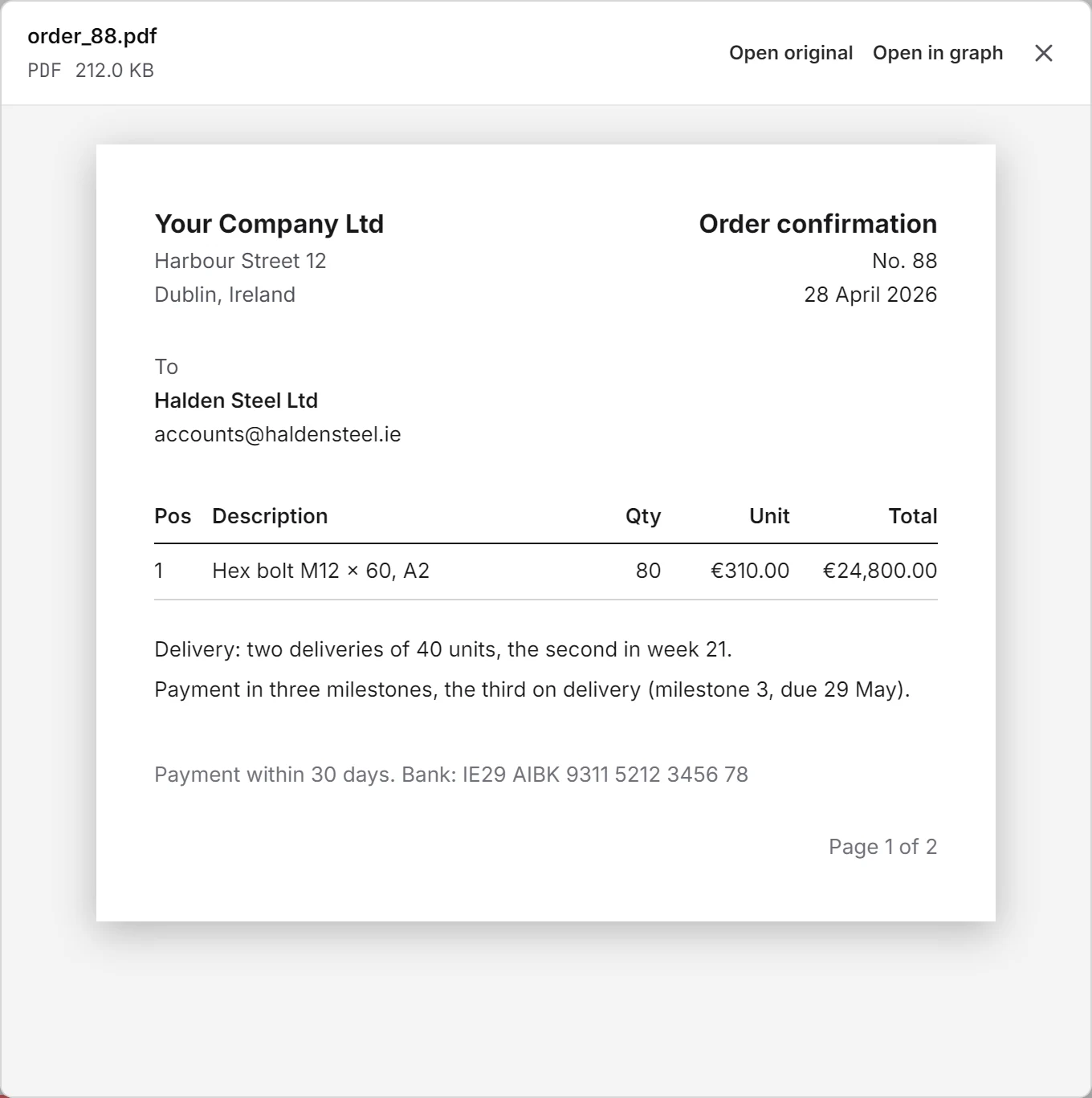
Prove
Every fact keeps the passage it was read from. Open the source and the file itself opens.
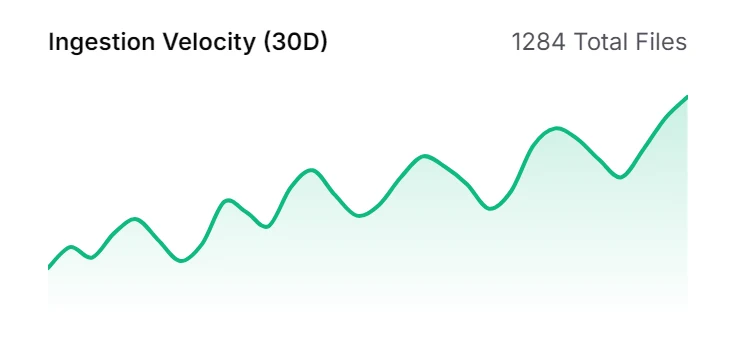
Look back
Pick a date and see the memory as it stood on that day. On 20 May, Dana’s email and invoice 2097 did not exist yet.
What the memory keeps.
Reads what you already have
Outlook and Gmail, Teams channels, SharePoint, Google Drive, file servers, SQL databases and APIs, plus anything you upload. PDFs, scans, Word and Excel files are read like any other.
One entry per customer
The same customer in an email, an ERP row and a delivery note becomes one entry. Where fluctor has merged two entries, they are listed under Merged from, and Undo splits them apart again.
Knowledge that adds up
Every reading adds a dated chronicle entry: what the customer is, or what happened. Nothing is overwritten, and each entry names the document it came from.
Corrections stay visible
Correct a value and give your evidence; the original stays beside it, marked with who corrected it and when. Flag a connection as wrong and the flag is recorded.
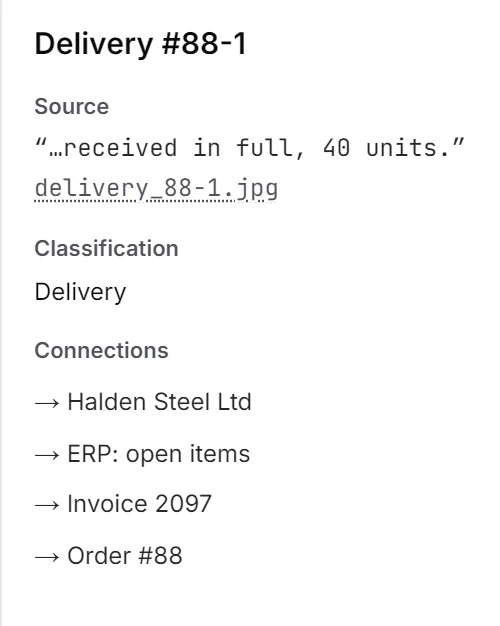
Every fact names its line.
Select Delivery #88-1 and the panel shows where it was read: delivery_88-1.jpg, “received in full, 40 units.” Click the file and it opens. Values, identifiers and chronicle entries all link back to their document.
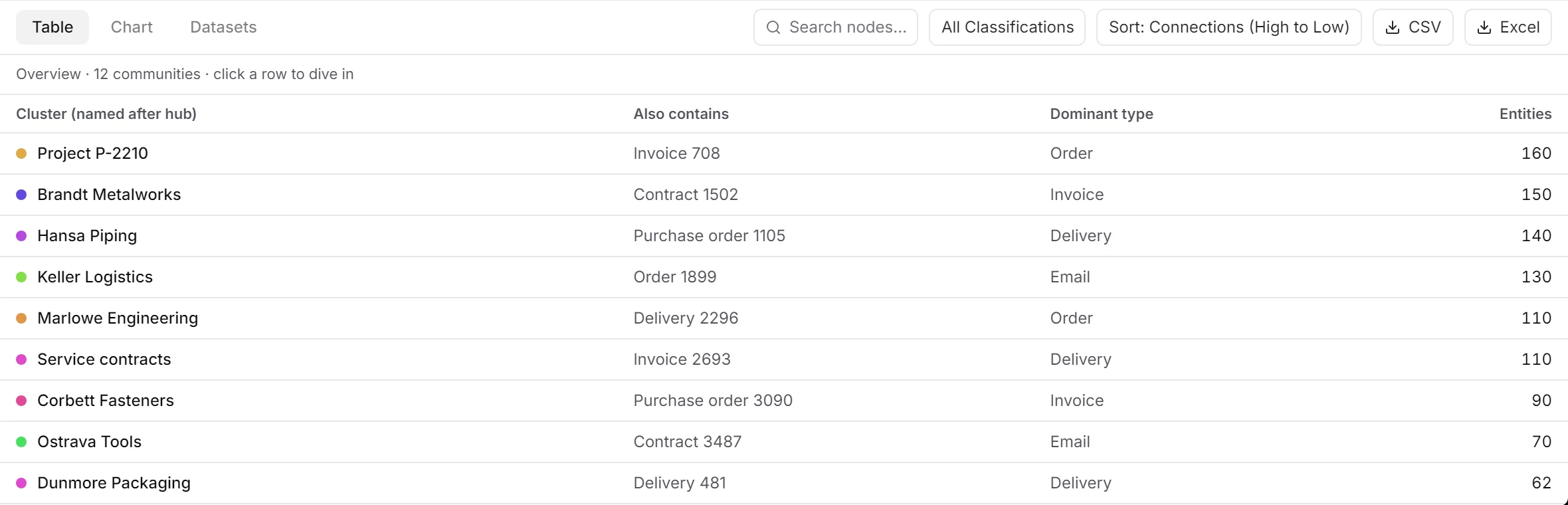
See the whole company at once.
The overview groups what belongs together and names each group after its hub: Halden Steel Ltd with 34 entries, Project P-2210 with 160. Dive into a group, filter by type, date or connections, and export the table to CSV or Excel.
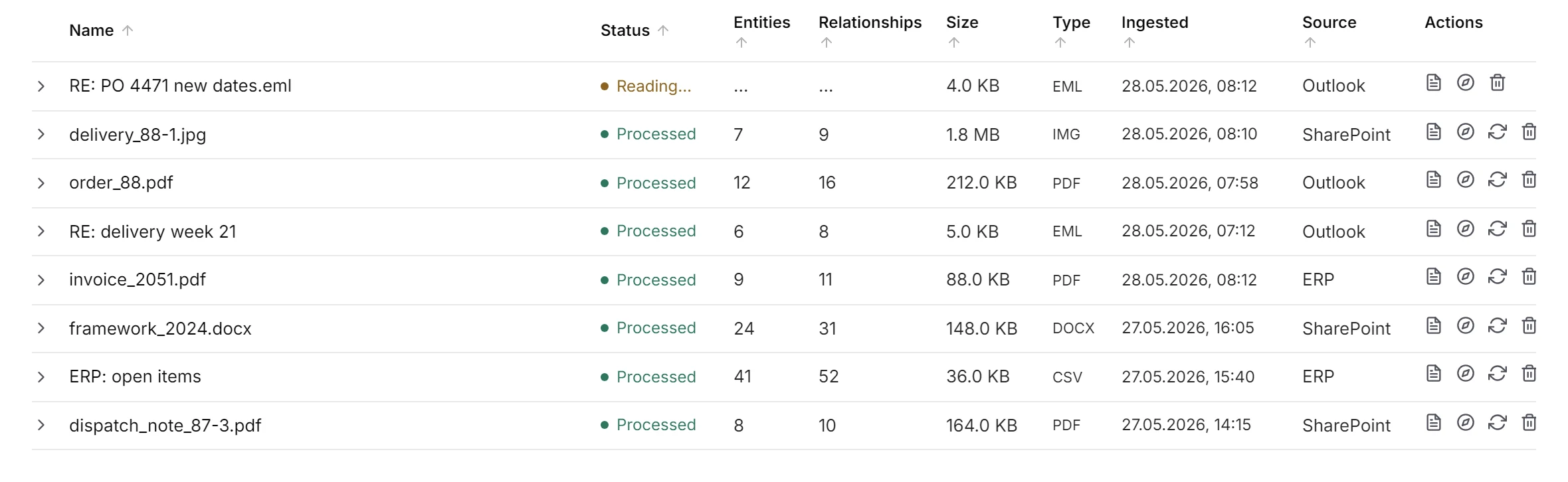
Deleted is not lost.
Delete a document and it leaves today’s view, but Time Travel still finds it. Administrators can delete forever, and then it is gone from Time Travel as well. Each file lists its status, what was read from it and the source it came from.
Your data stays yours.
Hosted in the EU or entirely on your own servers. Everyone sees only the areas they have access to, and every entry shows the document it came from.
- EU hosting
- Your own servers
- GDPR & DPA
- No training on your data
- Every answer with its source
- Activity log
See fluctor on your own documents.
A demo of your own memory, built from your real inbox and files, not from slides.